

Email Sender
グローバルmutation _sendEmail でメールを送信します。
説明
mutation _sendEmail は、WordPressの wp_mail 関数を実行してメールを送信します。そのため、WordPress側で設定されたメール送信設定(使用するSMTPプロバイダーなど)が使用されます。
メールは messageAs 入力の値に応じて、コンテンツタイプ「text」または「HTML」で送信できます(messageAs は「oneof」のInputObjectであり、そのプロパティのうち一つのみ指定できます)。
テキストとして送信するには、プロパティ messageAs.text を指定します。
mutation {
_sendEmail(
input: {
to: "target@email.com"
subject: "Email with text content"
messageAs: {
text: "Hello world!"
}
}
) {
status
errors {
__typename
...on ErrorPayload {
message
}
}
}
}HTMLとして送信するには、プロパティ messageAs.html を指定します。
mutation {
_sendEmail(
input: {
to: "target@email.com"
subject: "Email with HTML content"
messageAs: {
html: "<p>Hello world!</p>"
}
}
) {
status
errors {
__typename
...on ErrorPayload {
message
}
}
}
}グローバルフィールド
_sendEmail はグローバルフィールド(より正確には、グローバルmutation)です。つまり、Nested Mutations が有効になっている場合、このmutationはGraphQLスキーマの任意の型(MutationRoot に限らず)で実行できます。
これは、ユーザーのリストを反復処理し、それぞれにメールを送信する際に便利です(この場合、mutationは User 型の中でトリガーされます)。
mutation {
users {
email
_sendEmail(
input: {
to: $__email
subject: "..."
messageAs: {
text: "..."
}
}
) {
status
errors {
__typename
...on ErrorPayload {
message
}
}
}
}他の拡張機能(この場合は Field to Input と PHP Functions via Schema)の機能と組み合わせることで、ユーザーごとにパーソナライズされたメッセージを作成できます。
mutation {
users {
email
displayName
remainingCredits: metaValue(key: "credits")
emailMessage: _sprintf(
string: """
<p>Hello %s!</p>
<p>Your have <strong>%s remaining credits</strong> in your account.</p>
<p><a href="%s">Buy more?</a></p>
""",
values: [
$__displayName,
$__remainingCredits,
"https://mysite.com/buy-credits"
]
)
_sendEmail(
input: {
to: $__email
subject: "Remaining credits"
messageAs: {
html: $__emailMessage
}
}
) {
status
errors {
__typename
...on ErrorPayload {
message
}
}
}
}
}必要なケイパビリティ
このmutationは、特定のWordPressケイパビリティを持つユーザーのみに制限できます。この設定は、設定ページの Plugin Configuration > Email Sender で行います。
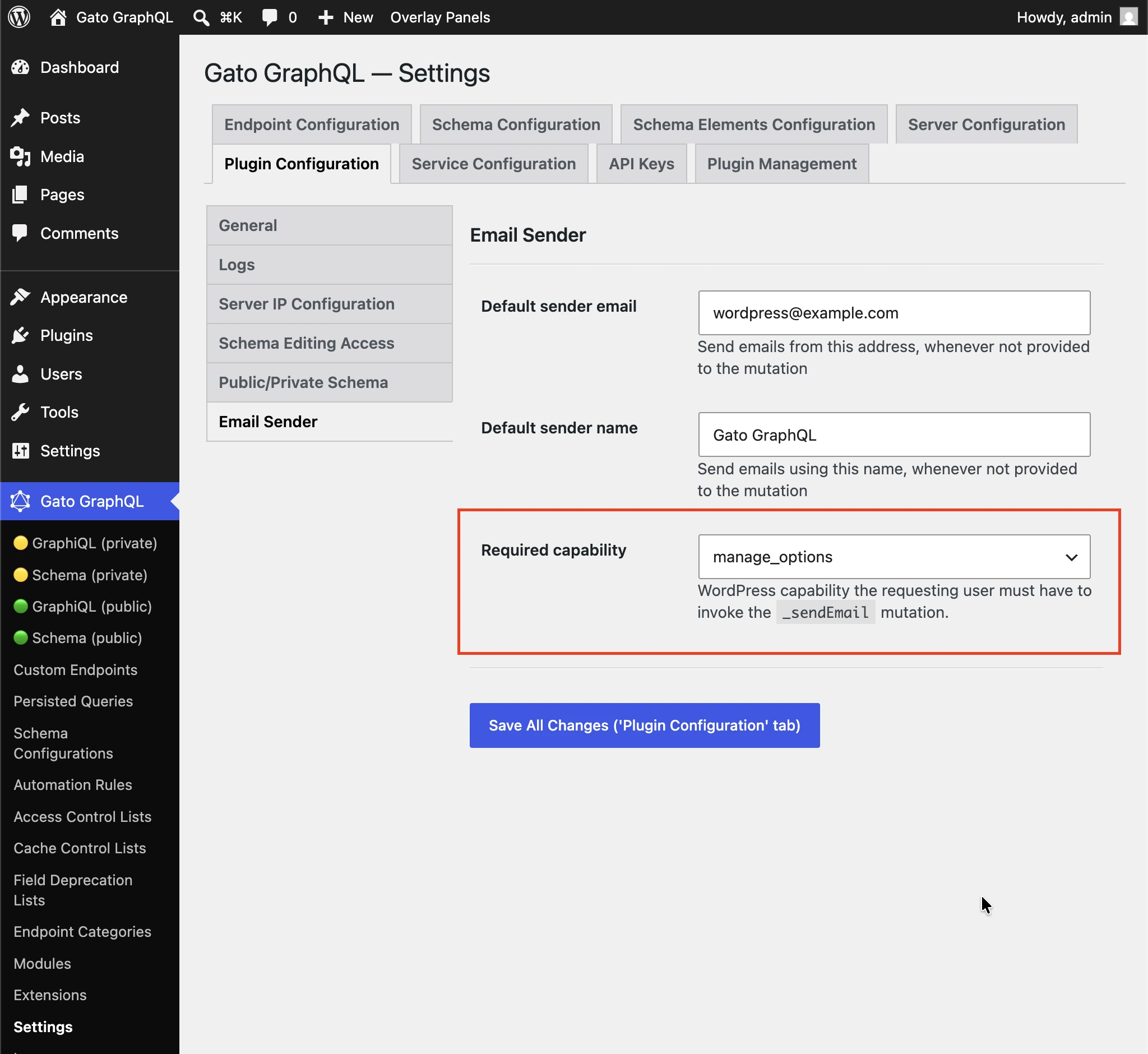
デフォルトは manage_options に設定されており、購読者が任意の宛先にスパムを送信するためにこのmutationを使用できないようになっています。
(any logged-in user) を選択すると、ケイパビリティチェックを無効にできます。
その他の例
以下のクエリは、あるポストのコンテンツをadminユーザーにメールで送信します(例:新しいポストが公開されるたびにトリガーできます)。次の拡張機能を使用しています。
- Multiple Query Execution — クエリを論理的な単位に管理する
- Helper Function Collection — Markdownを使ってメールメッセージを構成し、
_strConvertMarkdownToHTMLでHTMLに変換する - PHP Functions via Schema —
_strReplaceMultipleと_sprintfフィールドでメールの件名とメッセージに動的に値を埋め込む - Field to Input —
wp_optionsからadminのメールアドレスを取得して提供する
query GetPostData($postID: ID!) {
post(by: {id: $postID}) {
title @export(as: "postTitle")
excerpt @export(as: "postExcerpt")
url @export(as: "postLink")
author {
name @export(as: "postAuthorName")
url @export(as: "postAuthorLink")
}
}
}
query GetEmailData @depends(on: "GetPostData") {
emailMessageTemplate: _strConvertMarkdownToHTML(
text: """
There is a new post by [{$postAuthorName}]({$postAuthorLink}):
**{$postTitle}**: {$postExcerpt}
[Read online]({$postLink})
"""
)
emailMessage: _strReplaceMultiple(
search: ["{$postAuthorName}", "{$postAuthorLink}", "{$postTitle}", "{$postExcerpt}", "{$postLink}"],
replaceWith: [$postAuthorName, $postAuthorLink, $postTitle, $postExcerpt, $postLink],
in: $__emailMessageTemplate
)
@export(as: "emailMessage")
subject: _sprintf(string: "New post created by %s", values: [$postAuthorName])
@export(as: "emailSubject")
}
mutation SendEmail @depends(on: "GetEmailData") {
adminEmail: optionValue(name: "admin_email")
_sendEmail(
input: {
to: $__adminEmail
subject: $emailSubject
messageAs: {
html: $emailMessage
}
}
) {
status
}
}